Compose
The compose window is an HTML editor with vim-style modal editing, contact autocomplete, and signature support.
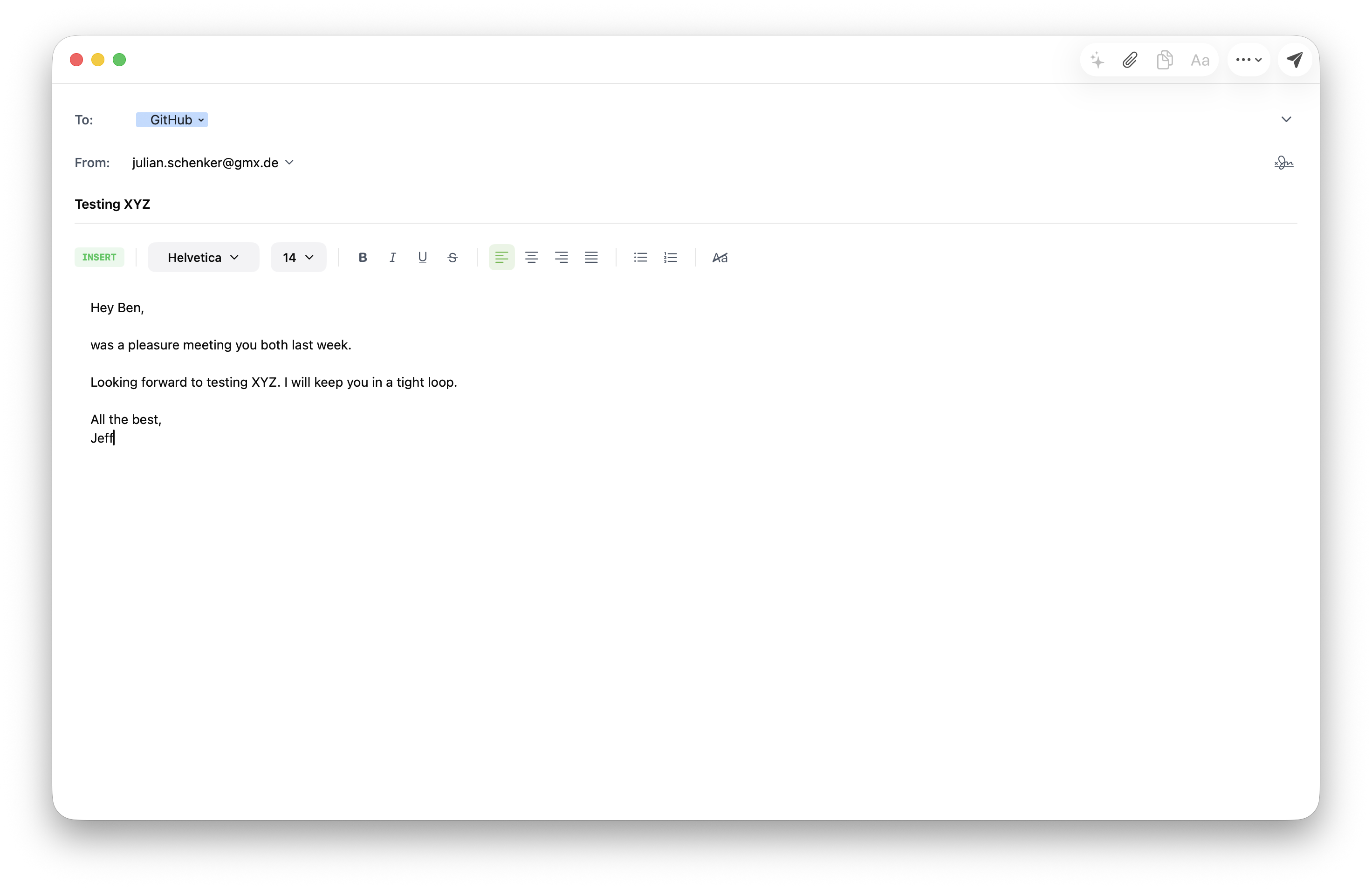
Opening
| Action | How |
|---|---|
| New message | c in the email list, or File → New Message |
| Reply | r in the list or thread view |
| Reply all | R |
| Forward | f |
Each compose window is independent — you can have several open at once, and closing one doesn’t affect the others.
Address fields
To/Cc/Bcc fields use a token field with live contact autocomplete. As you type:
- Recently-used contacts surface first (frecency-ranked from the contacts DB).
- Address-book entries from your provider show next.
- Hit
TaborEnterto accept the highlighted suggestion. Backspaceon an empty field removes the last token.
Cc and Bcc are hidden by default — click the Cc/Bcc label to reveal them.
Subject and body
The body is a rich-text WebView. You can paste images and formatted text from other apps. Outgoing messages always include a plain-text alternative part for clients that don’t render HTML.
Vim mode
The body editor is always modal. Escape exits insert mode; from normal mode you have the full set of motions, operators, and text objects — see Vim compose for the reference.
If Escape is awkward on your keyboard, bind a custom exit sequence in keymaps.pkl:
keymaps {
  new { action = "exit_insert"; key = "jk"; sequence = true; context = "compose_normal" }
}
Signatures
Defined in config.pkl:
signatures {
  ["default"] = "Best regards"
  ["work"] = """
    <b>Your Name</b><br>
    Position
    """
}
Per-account default via default_signature = "work" on the account. The compose window picks it up from the selected From account.
Sending
Cmd+Return (or the Send button) queues the message in the outbox. Sending is delayed by a few seconds to let you undo — see Drafts & Outbox.
Drafts
Compose state is saved locally on every keystroke. If the app crashes mid-compose, reopening Durian restores the draft as a recovered window. Drafts are also synced to the IMAP Drafts folder when you explicitly save (Cmd+S).